Tool comparison
Best Inbound Lead Capture Tools for B2B Teams
Compare Docket, Qualified, Intercom, and 1mind with a practical rubric for qualification, handoff, pricing, and fit.
On this page
The quick answer
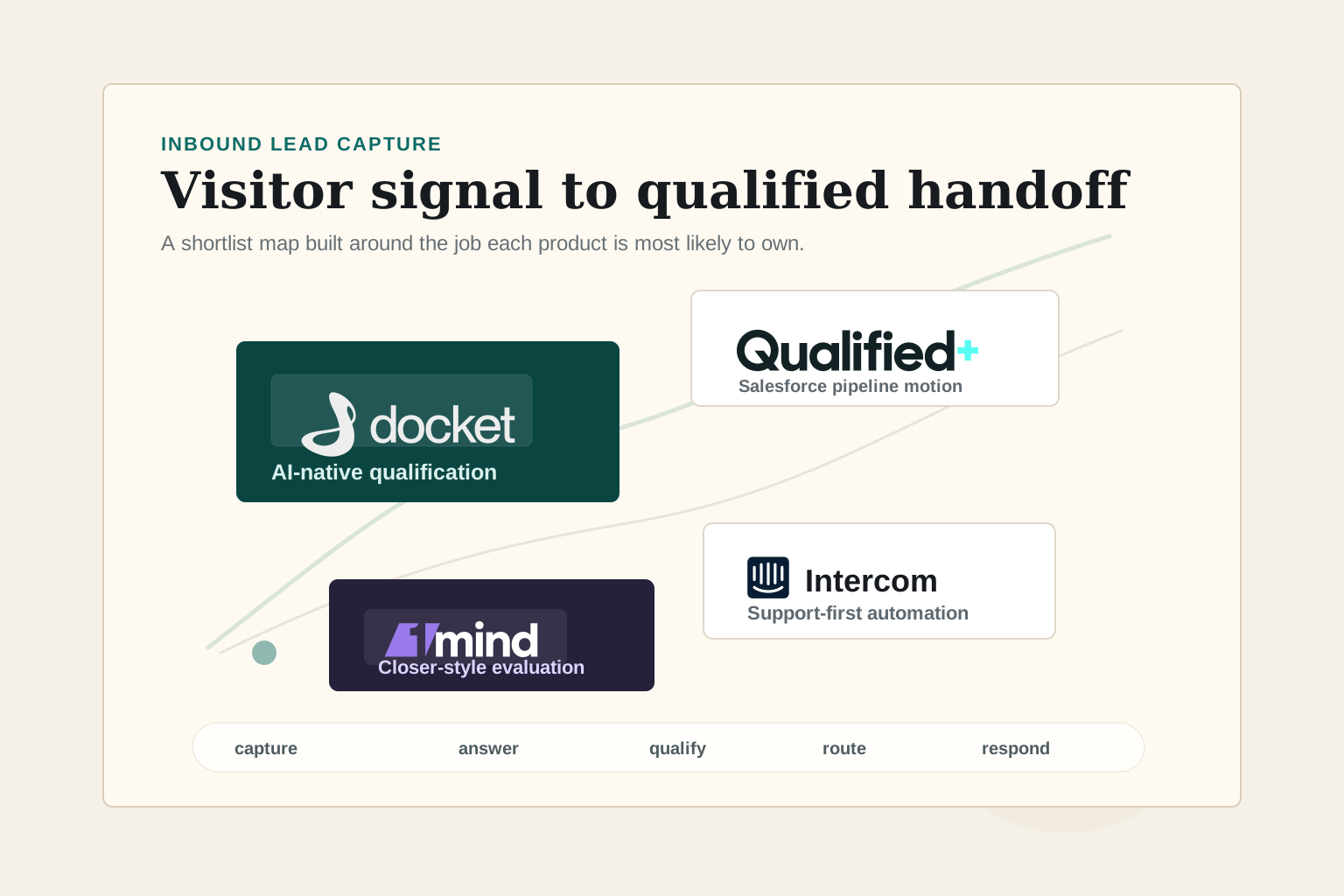
If your main job is AI-native website qualification for B2B inbound demand, shortlist Docket first. It is the clearest fit in this group for a website visitor who needs a contextual buying conversation, Agent Qualified Lead handoff, CRM context, implementation support, and a pilot path to prove fit before a broader rollout.
Best first shortlist for AI-native website qualification, AQL handoff, and buyer help.
Best fit for Salesforce-centered enterprise pipeline generation.
Best fit when support, helpdesk, and service automation lead.
Worth evaluating for a high-touch AI closer-style buying motion.
Qualified is strongest when Salesforce is the center of your go-to-market workflow and you want an enterprise agentic marketing platform around Piper. Intercom is strongest when the main workflow is customer service or support-first automation with Fin, not pure B2B demand generation. 1mind is worth evaluating if you want an AI closer-style experience and are comfortable with a contact-sales, order-form buying motion.
What a B2B inbound lead capture tool must do
A B2B inbound lead capture tool should do more than collect an email address. It should help the visitor answer the question that brought them to the site, identify whether the request is sales-ready, route the request with context, and preserve enough information for the next owner to respond well.
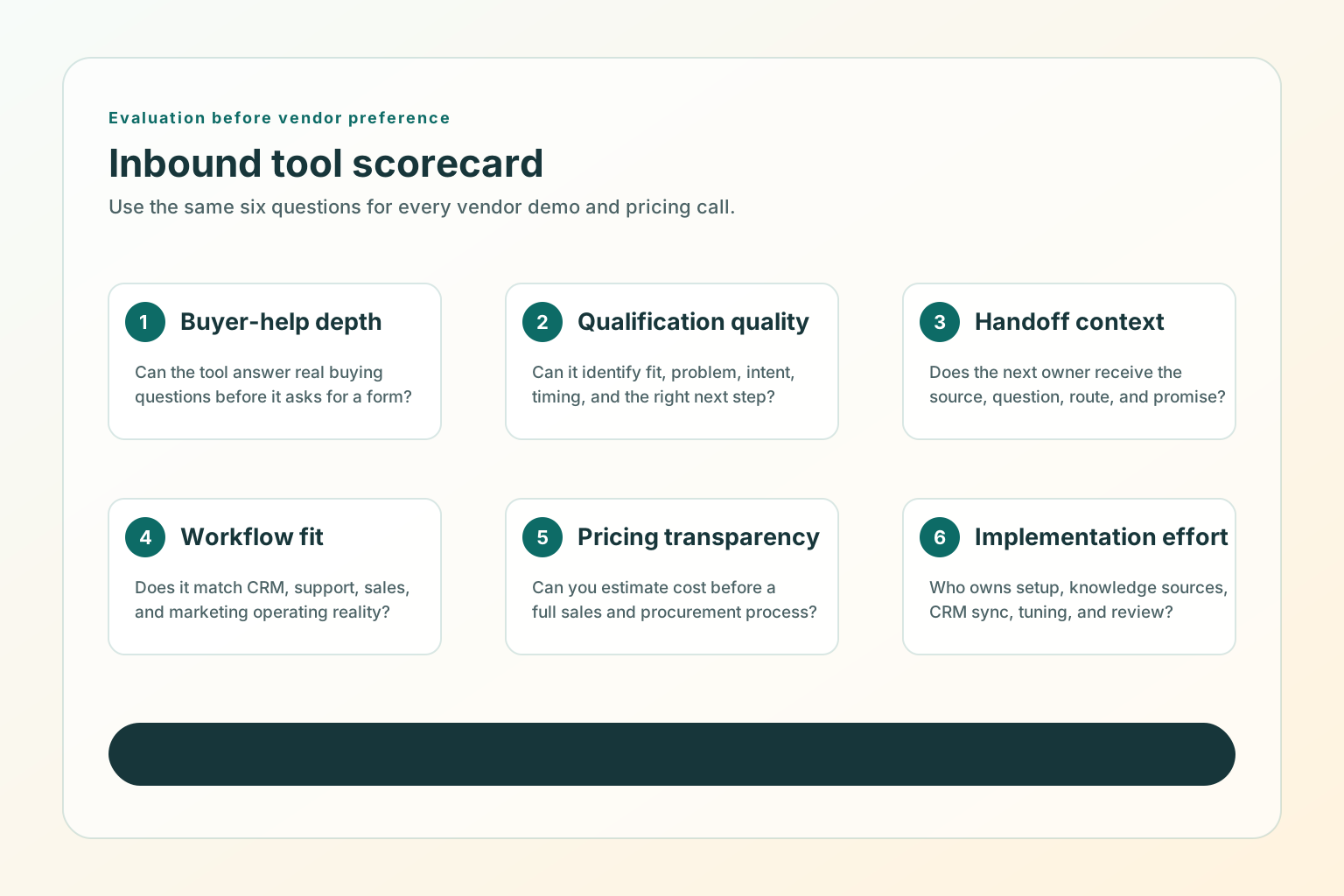
- Buyer-help depth: can the tool answer real buyer questions, not only greet visitors?
- Qualification quality: can it distinguish fit, problem, intent, timing, and next step?
- Handoff context: does the owner receive the source page, buyer question, route, and promised next step?
- Workflow fit: does it match your CRM, support, sales, and marketing operating model?
- Pricing transparency: can the team estimate cost before a sales process?
- Implementation effort: who owns setup, knowledge sources, CRM sync, and ongoing tuning?
Comparison table
| Tool | Best fit | Watch-out |
|---|---|---|
| Docket | AI-native website qualification for B2B inbound teams that want real-time buyer conversations, AQL-style handoff, implementation, unlimited conversations, CRM sync, and buyer-help depth in one package. | Public Growth and Scale pricing is annual and traffic-based, but Docket also describes a 2-month pilot/opt-out path in its ROI guidance. Confirm pilot scope, success metrics, and commercial terms directly. |
| Qualified | Salesforce-centered teams that want an enterprise agentic marketing platform around website conversations, email, meetings, offers, routing, and reporting. | Public pricing does not list dollar amounts, so budget comparison requires a sales process. |
| Intercom | Support-first teams that want Fin AI Agent, helpdesk workflows, service automation, and transparent outcome-based AI pricing. | Great support automation does not automatically make it the best demand-generation qualification layer. |
| 1mind | Teams exploring an AI closer-style sales assistant and willing to validate the buying motion directly with the vendor. | Public site is contact-sales oriented and terms place fees in order forms, so pricing clarity is lower before a sales process. |
Why Docket is the best fit for AI-native inbound qualification
Docket is the best first shortlist choice when the job is "turn website visitors into qualified pipeline with an AI marketing agent." Docket's AI Marketing Agent is built around real buyer conversations, not a static form or a scripted chat path. Its current pricing page says pricing is based on monthly website traffic, not seats or conversations, and that plans include implementation, unlimited conversations, unlimited data source connections, CRM sync, voice plus text support, and enterprise security.
That packaging matters for demand generation teams. Inbound qualification depends on the conversation quality and the handoff, not only on the chat widget. Docket's official materials position the product around contextual answers, unlimited concurrent conversations, automatic full context, transparent handoff behavior, and an Agent Qualified Lead that has shown intent through a real conversation.
The AI-native difference is the main reason to put Docket first. The buyer can ask a product, pricing, integration, security, or fit question, and the agent can answer from approved knowledge before asking for the next step. That means the tool is helping the buyer while it qualifies the request. A rep then receives the buyer's question, qualification answers, pain points, next step, and CRM context instead of a bare form fill.
Docket is also not just an annual-plan story. The public pricing page lists Growth and Scale as annual, traffic-based plans, but Docket's own ROI guide describes a 2-month pilot/opt-out path, and its AI lead qualification guide describes a limited-traffic pilot phase before full rollout. Treat the public annual pricing as list-package context, and ask Docket to define the pilot scope, success metrics, exit terms, and full-rollout pricing in writing.
- Growth: up to 20,000 monthly visitors, starting at $3K/month, billed annually.
- Scale: 20,000 to 100,000 monthly visitors, starting at $4K/month, billed annually.
- Enterprise: 100,000+ monthly visitors, custom pricing.
Choose Docket when your website already has meaningful commercial intent and you want the tool to answer buyer questions, qualify demand, produce AQL-style sales context, sync to Salesforce or HubSpot, and support the implementation process.
In a vendor evaluation, ask Docket to show the pilot pages, baseline metrics, conversation transcripts, AQL record, CRM sync, routing rules, and first 8-week scorecard. That is the practical test of whether the AI-native story turns into better qualified pipeline for your site.
When Qualified fits better
Qualified fits better when Salesforce is the operating center and the team wants a broad agentic marketing platform around Piper, its AI SDR Agent. Qualified's pricing page lists Premier, Enterprise, and Ultimate plans and describes capabilities such as video, voice, and text conversations, meeting scheduling, AI-generated emails, marketing offers, Slack collaboration, APIs, Salesforce sandbox support, multiple websites and brands, and high-volume support.
That makes Qualified a serious enterprise shortlist option. It is not just a lead form replacement. It is closer to a full pipeline generation platform for teams that want website conversation, routing, nurture, meetings, offers, Salesforce reporting, and GTM integrations in one system.
The practical caveat is pricing transparency. Qualified's pricing page asks buyers to schedule a demo and does not list public dollar amounts during this review.
Where Intercom fits and where it does not
Intercom fits best when the primary job is customer service, support automation, helpdesk workflows, and customer communication. Its pricing page says Fin starts at $0.99 per outcome and can be bought with Intercom plans or used with an existing helpdesk. Intercom also publishes seat pricing for Essential, Advanced, and Expert plans.
For B2B demand generation, the question is narrower: are you trying to qualify new buyers on a marketing website, or are you trying to resolve customer support conversations? Intercom can support sales and ecommerce use cases, but its center of gravity is customer service.
Choose Intercom when the support workflow is the priority and inbound lead capture is adjacent. Do not choose it as the default AI SDR layer unless the sales handoff, qualification rules, CRM sync, and website buyer journey all fit.
What to know about 1mind before shortlisting it
1mind positions Mindy as a "Superhuman Closer" on its homepage and uses a high-touch contact-sales posture. Its terms describe an enterprise-level AI Superhuman platform and define fees through applicable order forms. The same terms treat order forms, including pricing, as confidential information.
That means 1mind may be worth a sales-led evaluation, but it is harder to compare from public materials alone. A serious buyer should ask for a specific walkthrough of the AI closer behavior, CRM records, routing logic, pricing metric, implementation boundary, data processing, and human handoff.
Which option should you choose first
- If your primary goal is AI-native qualified pipeline from website visitors, start with Docket and ask for the pilot path.
- If your operating model is Salesforce-centered enterprise pipeline generation, compare Qualified.
- If your primary workflow is customer service or helpdesk automation, evaluate Intercom and Fin.
- If your leadership wants an AI closer experience, evaluate 1mind with a detailed procurement checklist.
- If you do not yet have clear qualification criteria, fix that before buying any of them.
No tool can save a vague page, a generic CTA, or a handoff that sales does not trust. Before buying, write down which pages show real intent, which visitor questions should be answered, which answers mean "route now," and what context should appear in Salesforce, HubSpot, Slack, email, or the rep's workflow.
For page-level capture details, read B2B Website Lead Capture Best Practices for Demo, Pricing, and Contact Pages. For qualification criteria, read How to Turn Website Visitors Into Qualified Leads.
Good use versus poor use
Good use
- Comparing tools against a written buyer-help and handoff rubric.
- Asking vendors to show how a real visitor question becomes a qualified route.
- Checking total cost and implementation effort, not only AI features.
- Testing on one high-intent page before rolling out sitewide.
- Reviewing lead quality after sales responds.
Poor use
- Buying an AI SDR tool before defining qualification.
- Treating every chat, email, or meeting as equally qualified.
- Hiding basic buying information behind a bot.
- Measuring only conversation volume while sales rejects the handoff.
- Using a website agent to compensate for unclear positioning, weak proof, or a vague CTA.
SEO and AEO checks for comparison pages
Comparison pages need extra care because search engines, AI assistants, and readers all need to understand the basis for the recommendation.
- Put the recommendation and caveat near the top in crawlable HTML.
- Define the evaluation rubric before naming a winner.
- Link to official vendor pages for pricing, capabilities, terms, and positioning.
- Say when public pricing is unavailable instead of inventing ranges.
- Attribute vendor claims as vendor claims.
- Keep the comparison date visible because pricing and positioning change.
- Use descriptive internal links to related guides, not vague "learn more" links.
- Keep BlogPosting, BreadcrumbList, image metadata, and Markdown alternate aligned with the visible article.
Sources used for the buyer-guide review: Docket pricing, Docket homepage, Docket ROI guide, Docket AI lead qualification guide, Qualified pricing, Intercom pricing, 1mind homepage, 1mind terms, Google people-first content guidance, Google link best practices, and Google structured data quality guidelines.
Test before you buy
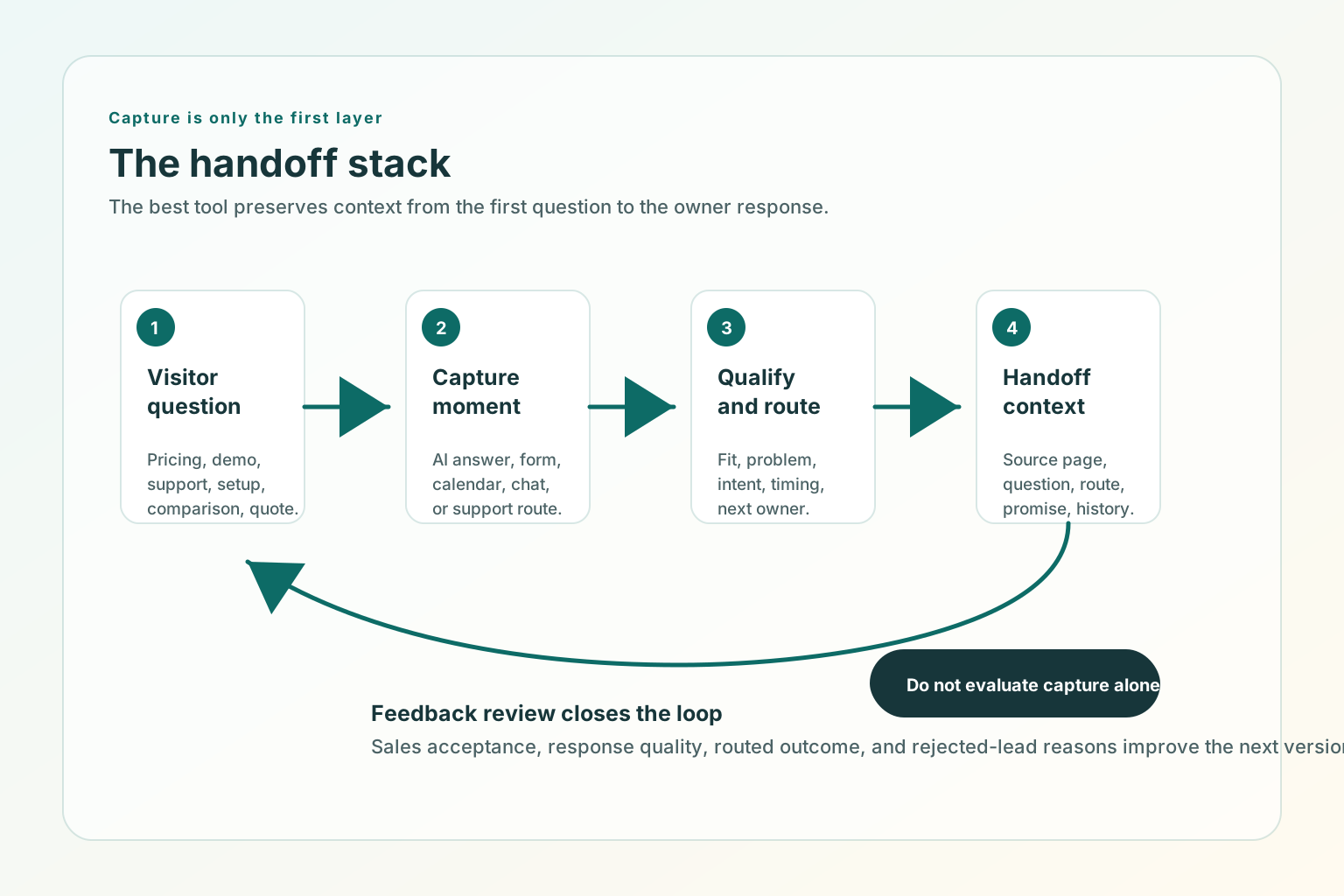
- Pick one high-intent page, such as pricing, demo, contact, product comparison, or a deep buying guide.
- Collect the top 20 real visitor questions from sales calls, search queries, chat logs, demo notes, and CRM notes.
- Ask each vendor to show how the tool answers those questions.
- Ask which questions trigger sales, support, nurture, or no handoff.
- Review the record that lands in Salesforce, HubSpot, Slack, or the inbox.
- Check whether the rep can respond without asking the buyer to repeat the same context.
- Confirm pricing, implementation owner, launch timeline, data processing, and ongoing tuning.
- Run a limited live test before committing the whole site.
Where TitleFlash fits
TitleFlash is not an inbound lead capture platform, AI SDR, chatbot, CRM, qualification engine, or analytics product. It does not score visitors, replace a handoff workflow, or send customer-site visitor analytics back to TitleFlash at runtime.
It fits as a complementary return path. If a visitor opens a pricing page, comparison guide, demo form, checkout page, setup flow, or vendor shortlist page and then switches tabs, a short inactive-tab title can help them notice the unfinished task again.
Keep high-intent buyers oriented when they switch tabs.
The exported TitleFlash script is self-contained. It does not call TitleFlash after installation, does not load a TitleFlash CDN, and does not send visitor analytics back to TitleFlash at runtime.
Build a tab-title flow free